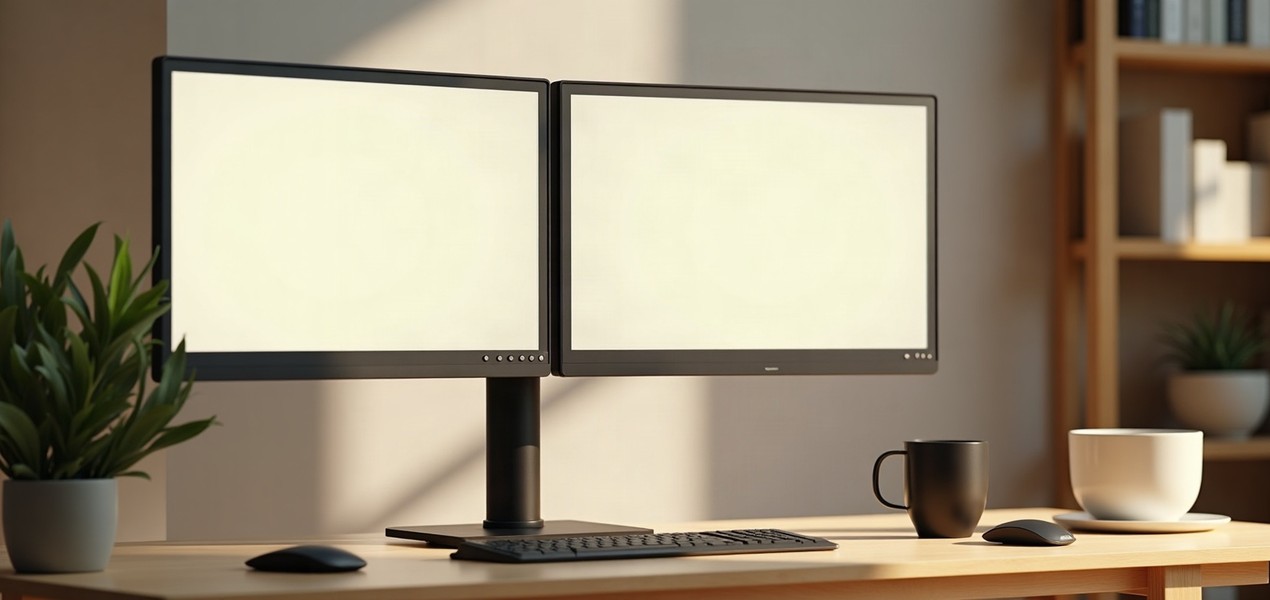
The best dual monitor arm for most home offices is the Ergotron HX Desk Dual Monitor Arm (45-476-224). Its counterbalanced arms hold two screens up to 32 inches and 17.5 lb each, move with one hand and stay put, and it comes with a clamp, a grommet mount and a 10-year warranty. If your monitors are heavier, the VIVO STAND-V032 holds up to 22 lb each; if you can't clamp your desk, the freestanding Mount-It! MI-102781 needs no clamp at all.
Our picks at a glance
- View at Newegg
Best counterbalanced arm
- View at Newegg
Best for two 24-inch monitors
- View at Newegg
Best clamp mount for heavier screens
- View at Best Buy
Best freestanding stand
The picks in detail
- Top pick
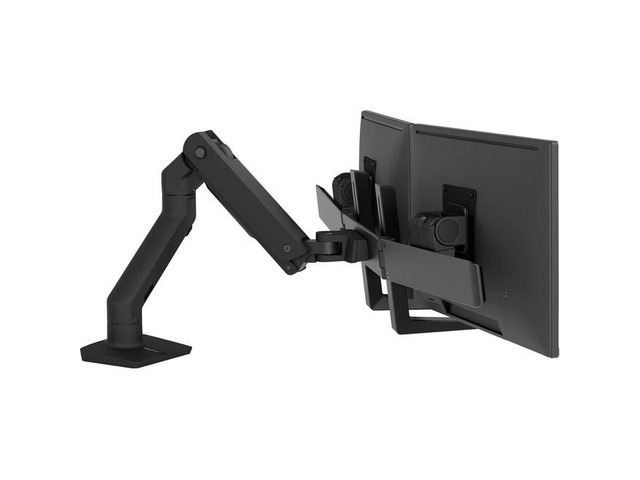
Best counterbalanced arm
Ergotron HX Desk Dual Monitor Arm (45-476-224)
Most people with two monitors they move through the day should buy the Ergotron HX dual arm.
View at NeweggIt holds two screens up to 32 inches and 5 to 17.5 lb each (35 lb in total), and each counterbalanced arm gives 11.5 inches of height adjustment, so you can pull a screen up, down or closer with one hand and it stays put. It comes with a desk clamp (for desks 0.4 to 2.6 inches thick) and a grommet mount, and Ergotron backs it with a 10-year warranty. Skip it if either monitor weighs more than 17.5 lb without its stand: check your spec sheet, because many 32-inch screens do.
What we like
- Counterbalanced arms with 11.5" of height adjustment
- Screens up to 32"; clamp and grommet mounts included
- 10-year warranty
Watch out for
- 17.5 lb per monitor, less than the VIVO pole mount
- Monitors deeper than 3 inches may reduce the weight it can hold
- Best for two 24-inch monitors
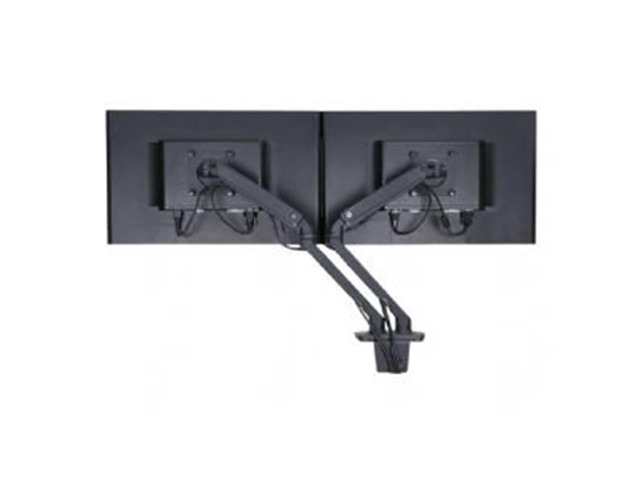
Ergotron MXV Desk Dual Monitor Arm (45-496-224)
The Ergotron MXV dual arm is the compact choice for a pair of monitors up to 24 inches.
View at NeweggIt clamps to the desk, gives 13 inches of lift, tilts, pans and rotates each screen, and carries the same 10-year warranty as the HX. Buy it if you have two 24-inch screens and want arms that move rather than a fixed pole. Skip it for anything bigger than 24 inches. Retailer listings give a 40 lb figure without saying whether it applies per arm or to both, so check Ergotron’s spec sheet against your monitors’ weight before you buy.
What we like
- Sized for two 24" monitors
- 13" of lift
- 10-year warranty
Watch out for
- Monitors up to 24" only
- Per-arm weight limit not clear from retailer listings
- Best clamp mount for heavier screens
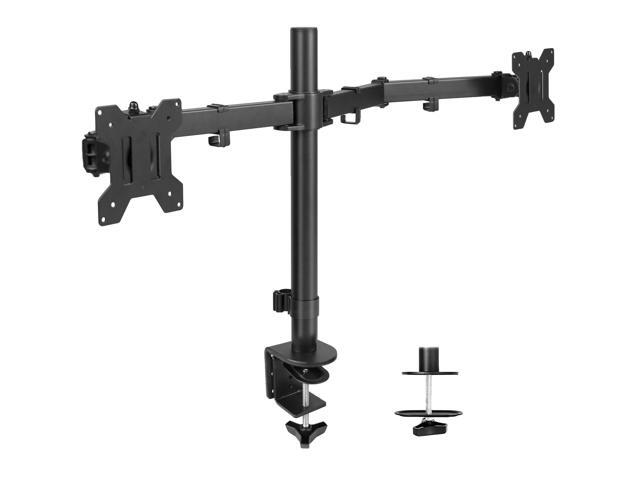
VIVO Dual Monitor Desk Mount (STAND-V032)
VIVO’s dual desk mount holds two screens from 13 to 32 inches and up to 22 lb each, the highest per-screen figure here, on a steel and aluminum pole.
View at NeweggIt clamps to a desk up to 3.25 inches thick or mounts through a grommet hole, and each screen tilts +90° to -90°, swivels 180° and rotates 360° for portrait or landscape. Height is set by moving the arms along the 17-inch pole, with no gas spring. Buy it if you set your screens once and leave them, or your monitors are too heavy for the HX. Skip it if you adjust screen height through the day.
What we like
- Screens 13–32" up to 22 lb each
- C-clamp or grommet mount
- Tilt, swivel and portrait rotation; cable clips
Watch out for
- Height is set on the pole, not spring-balanced
- Slower to readjust than the Ergotron arms
- Best freestanding stand
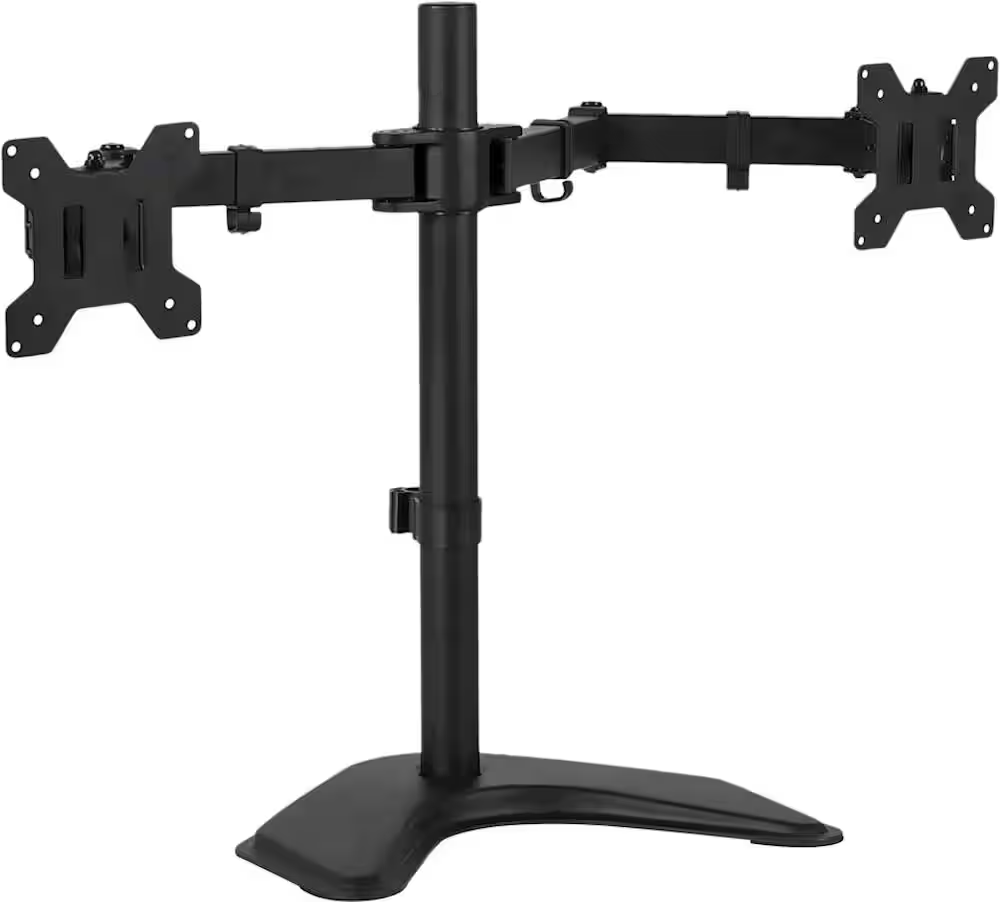
Mount-It! Dual Monitor Desk Stand (MI-102781)
The Mount-It! stand is the pick if you can’t clamp or drill your desk: it stands on its own base, and a grommet option is included too.
View at Best BuyIt holds two screens up to 32 inches and 17.6 lb each on 75 x 75mm or 100 x 100mm VESA mounts, and each screen tilts ±45° and rotates for portrait use. Buy it for a glass desk, a rented desk or a desktop with no usable edge. Skip it if you want to move your screens often, since height is set along the pole.
What we like
- Freestanding base, no clamping needed
- Screens up to 32" and 17.6 lb each
- VESA 75 and 100
Watch out for
- Height is set along the pole
- Only one confirmed US retailer (Best Buy)
Choosing an arm starts with three numbers: your monitors' size, their weight without the stand, and their VESA mounting pattern (the four screw holes on the back). If you're still choosing the screens, our guide to the best monitors for a home office covers them, and our dual monitor setup guide covers cables and display arrangement.
The short version
- Best counterbalanced arm: Ergotron HX Dual. Two 32" screens up to 17.5 lb each, 11.5" of lift, 10-year warranty.
- Best for two 24-inch monitors: Ergotron MXV Dual. Compact, 13" of lift, 10-year warranty.
- Best clamp mount for heavier screens: VIVO STAND-V032. 13–32" screens up to 22 lb each.
- Best freestanding stand: Mount-It! MI-102781. No clamping needed.
How they compare
Stand | Screen size | Weight per screen | Mounting | Height adjustment |
|---|---|---|---|---|
Ergotron HX Dual | Up to 32" | 5–17.5 lb (35 lb total) | Desk clamp or grommet | Counterbalanced, 11.5" |
Ergotron MXV Dual | Up to 24" | Check Ergotron's spec sheet | Desk clamp | Articulating arm, 13" |
VIVO STAND-V032 | 13–32" | Up to 22 lb | C-clamp or grommet | Slide along a 17" pole |
Mount-It! MI-102781 | Up to 32" | Up to 17.6 lb | Freestanding or grommet | Along the pole |
Check your monitors first
Measure before you buy: most arm problems come from a monitor that is too heavy or a desk edge the clamp can't grip.
- VESA pattern. Look for four screw holes in a square on the back of each monitor. 75 x 75mm and 100 x 100mm are the common sizes, and all four picks support 100 x 100mm. Some slim monitors have no VESA holes and need an adapter.
- Weight without the stand. Your monitor's spec sheet lists its weight "without stand". Compare that number with the arm's per-screen limit, not its total. Curved and 32-inch monitors are often heavier than you'd expect.
- Desk edge. A clamp needs a solid desk edge within its thickness range (0.4 to 2.6 inches for the Ergotron HX, up to 3.25 inches for the VIVO) and room behind the desk. Glass desks and thin or hollow tops aren't a good match for clamps; a freestanding stand avoids the problem.
Arm or pole stand?
Counterbalanced arms, like the Ergotron HX, let you pull a screen up, down or closer with one hand and it stays where you leave it. That helps if you move between sitting and standing at a standing desk. Pole mounts, like the VIVO and Mount-It!, set the height once with a clamp or collar. They are fine if you rarely move your screens.
Installing a dual monitor arm
- Mount the base first. Tighten the clamp or grommet to the desk before any weight goes on it, and check it can't rock.
- Attach the VESA plates to the monitors while they lie face down on a soft surface, using screws that fit your monitor's holes.
- Hang the monitors on the arms one at a time, with someone to help for larger screens.
- Adjust the tension on counterbalanced arms until each screen stays where you leave it, following the maker's instructions.
- Route the cables through the arm's clips or channels, leaving enough slack to move the screens through their full range.
Two monitors or one ultrawide?
If you don't own two monitors yet, a single ultrawide is worth considering: one screen, one cable and no gap in the middle. Our best ultrawide monitors for work guide covers the options, and an ultrawide can go on a single-monitor arm later. Check its weight first, since 34-inch curved screens are among the heavier monitors.
How we chose
These recommendations are research-based. We have not tested these stands. Every figure here comes from a published spec sheet, linked under Sources; where the maker's own page wasn't available, we used retailer listings that carry the maker's specifications. We only considered new, named-brand stands sold by at least one major US retailer, dropped unbranded listings with no traceable model number, and weighed screen size and weight limits, mounting options and warranty. We link to US retailers we could confirm sell each exact model; we don't compare their prices.
Questions people ask
How do I know if a monitor arm fits my monitors?
Check three things on your monitor’s spec sheet: the VESA pattern (usually 75 x 75mm or 100 x 100mm), the weight without its stand, and the screen size. Each must be within the arm’s per-screen limits.
Is a dual arm’s weight limit per monitor or for both?
It varies, so read the listing carefully. The Ergotron HX, for example, holds up to 17.5 lb per monitor and 35 lb in total; compare your heaviest monitor with the per-monitor figure.
Can I use a monitor arm on a standing desk?
Yes. A clamp or grommet mount moves with the desktop, so the screens rise and fall with it. Check that the desk edge is within the clamp’s range and that cables have enough slack for the full height range.
What if my monitor has no VESA holes?
Look for the monitor maker’s own VESA adapter, or a universal adapter bracket rated for your monitor’s size and weight.
Do I need a clamp, or can a dual monitor stand sit on the desk?
A freestanding stand such as the Mount-It! MI-102781 sits on its own base, which suits glass desks and desks with no usable edge. Clamp mounts take up less desk space.
Sources we used
- Ergotron HX Desk Dual Monitor Arm (45-476-224) specifications (Markertek)
- Ergotron HX Desk Dual Monitor Arm specifications (Staples)
- Ergotron MXV Desk Dual Monitor Arm (45-496-224) specifications (Markertek)
- Ergotron MXV Desk Dual Monitor Arm specifications (Staples)
- VIVO dual monitor desk mount specifications (Newegg)
- Mount-It! dual monitor desk stand specifications (Best Buy)
Comments
No comments yet. Start the conversation.