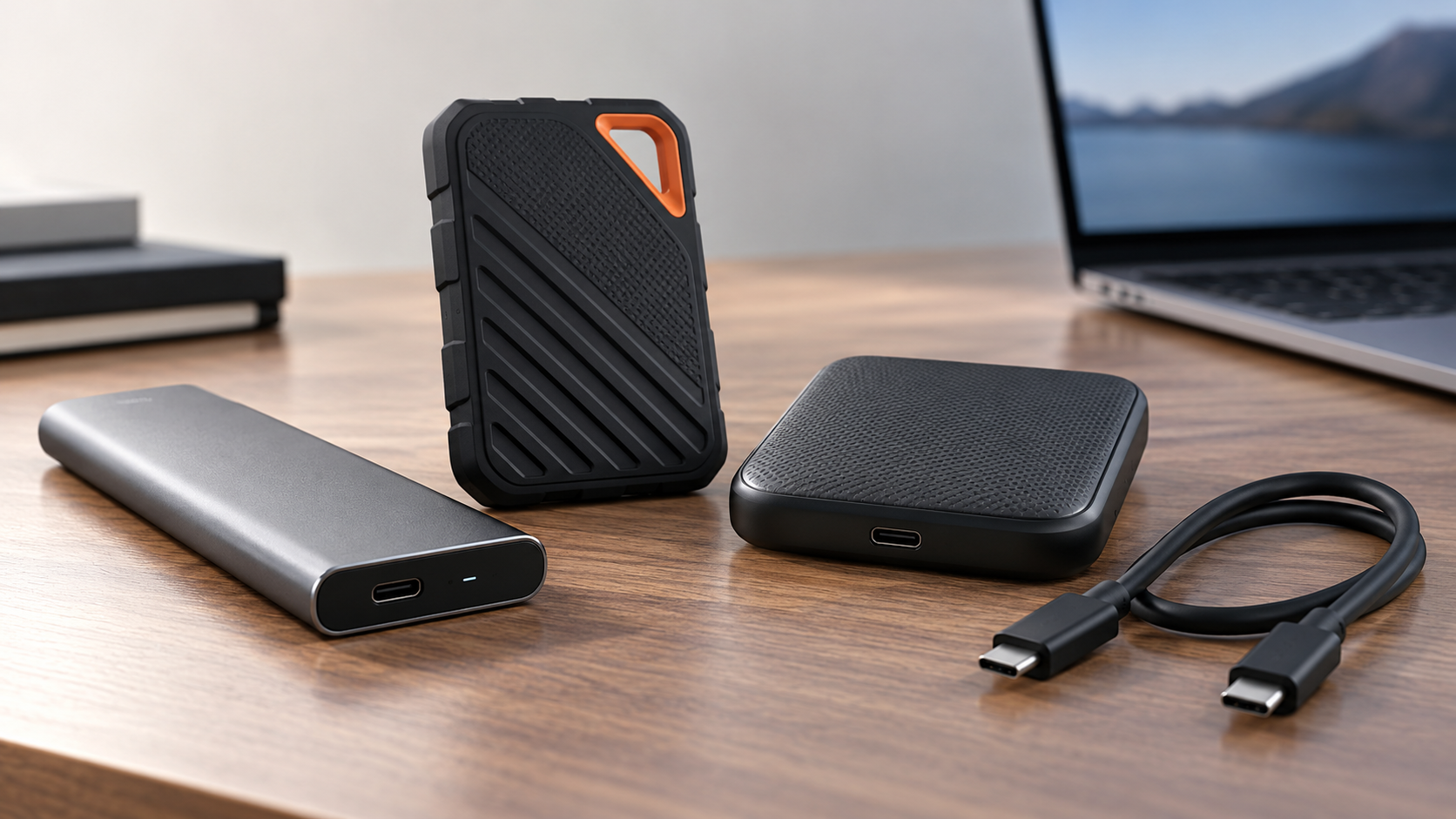
Most people should buy the Samsung T7 Shield. It is as fast as a typical laptop's USB-C port allows, rated IP65 against water and dust, encrypted in hardware, and it comes with both USB-C and USB-A cables. The SanDisk Extreme Portable SSD is the alternative if you want more than 4TB or a five-year warranty, as long as you update its firmware first (more on why below). If your laptop has a faster port, the Samsung T9 (USB 3.2 Gen 2x2) or the SanDisk Professional PRO-G40 (Thunderbolt 3) moves large files quicker.
Our picks at a glance
- View at Adorama
- View at Newegg
Best for big capacities and a long warranty
- View at Adorama
Fastest USB-C pick
- View at Walmart
Best for Thunderbolt laptops and Macs
The picks in detail
- Top pick
Best overall
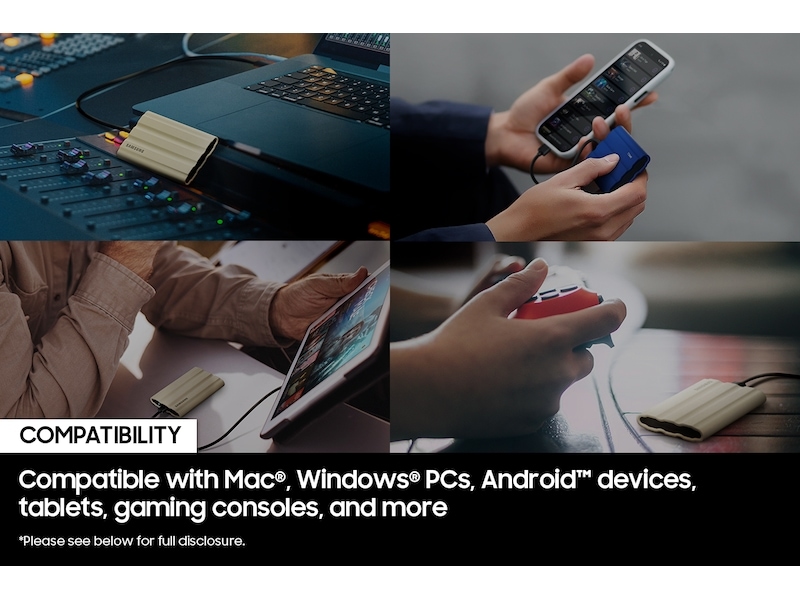
Samsung Portable SSD T7 Shield 2TB (MU-PE2T0S/AM)
Samsung’s T7 Shield is the external SSD most laptop owners should buy.
View at AdoramaIt runs at USB 3.2 Gen 2 (10Gbps), rated up to 1,050MB/s read and 1,000MB/s write, which is as fast as most laptop USB-C ports go. It is rated IP65 against dust and water and up to 9.8 ft (3 m) for drops, has AES 256-bit hardware encryption with Samsung’s software, weighs 98g, and comes with both a USB-C to C and a USB-C to A cable. Buy it for work files, backups and a laptop bag. Skip it if your laptop has Thunderbolt and you move big video files every day; the PRO-G40 is built for that.
What we like
- IP65 rated, with up to 9.8 ft (3 m) drop protection
- USB-C to C and USB-C to A cables in the box
- AES 256-bit hardware encryption; 98g
Watch out for
- 3-year limited warranty, against five on the SanDisk drives
- Tops out at 4TB
- Best for big capacities and a long warranty
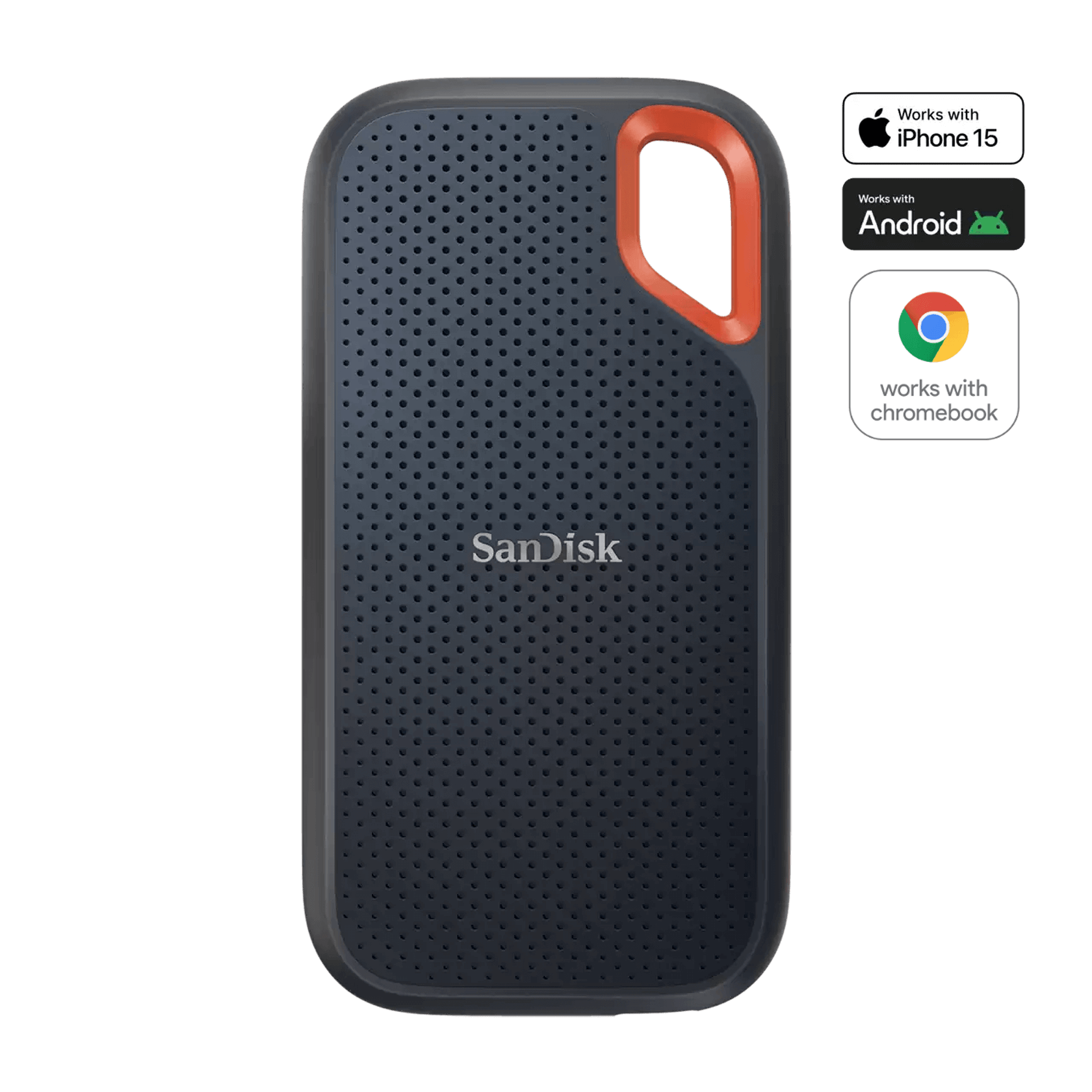
SanDisk Extreme Portable SSD 2TB (SDSSDE61-2T00-G25)
The SanDisk Extreme Portable SSD matches the T7 Shield on speed (USB 3.2 Gen 2, up to 1,050MB/s read and 1,000MB/s write) and ruggedness (IP65, up to 3 m drops), and beats it on warranty (five years) and size, with versions up to 8TB.
View at NeweggIt has a carabiner loop, password protection with 256-bit AES hardware encryption, and a USB-C cable plus a USB-A adapter in the box. It has a history, though. In May 2023 owners reported Extreme Portable SSDs, mostly 4TB units, suddenly losing data, and Western Digital, which owned SanDisk then, released a firmware update for the line on May 31, 2023. Buy it if you need more than 4TB in one drive, and run SanDisk’s firmware updater before you copy anything to it. If that history puts you off, buy the T7 Shield.
What we like
- Sizes up to 8TB; 5-year limited warranty
- IP65 and up to 3 m drop protection
- USB-C cable plus a USB-A adapter included
Watch out for
- Widely reported data loss in 2023 (mostly 4TB units), fixed by a firmware update: update it before first use
- USB 3.2 Gen 2 (10Gbps) is half the speed of the T9
- Fastest USB-C pick
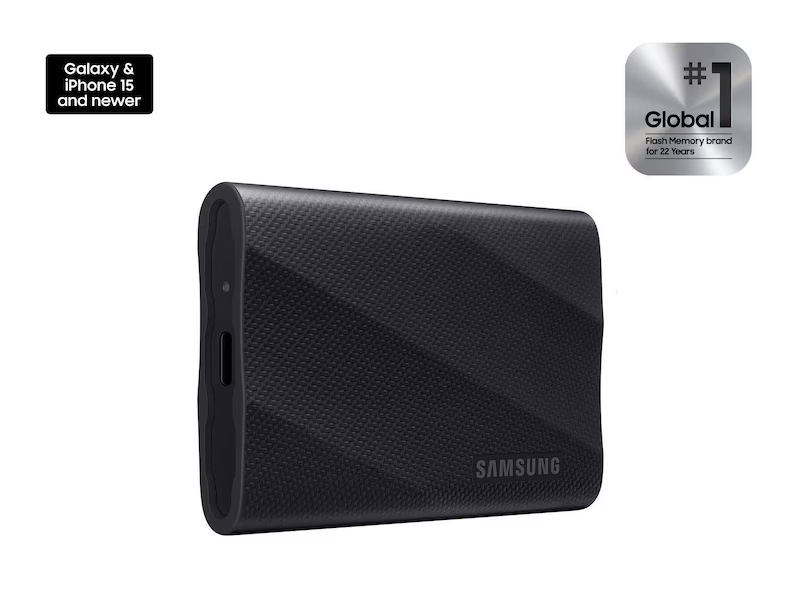
Samsung Portable SSD T9 2TB (MU-PG2T0B/AM)
The Samsung T9 uses USB 3.2 Gen 2x2 (20Gbps), double the bandwidth of the other USB picks, and is rated up to 2,000MB/s read and 1,950MB/s write.
View at AdoramaYou only get that from a port that supports USB 3.2 Gen 2x2, which many laptops lack; on an ordinary 10Gbps port it runs at that port’s speed. It has AES 256-bit hardware encryption, up to 3 m drop resistance, a five-year limited warranty and both USB-C to C and USB-C to A cables. Buy it if you know your desktop or laptop has a Gen 2x2 port. Everyone else gets the same speed from the T7 Shield.
What we like
- Up to 2,000MB/s read over USB 3.2 Gen 2x2
- AES 256-bit hardware encryption
- Five-year limited warranty
Watch out for
- Full speed needs a USB 3.2 Gen 2x2 port
- No water or dust rating
- Best for Thunderbolt laptops and Macs
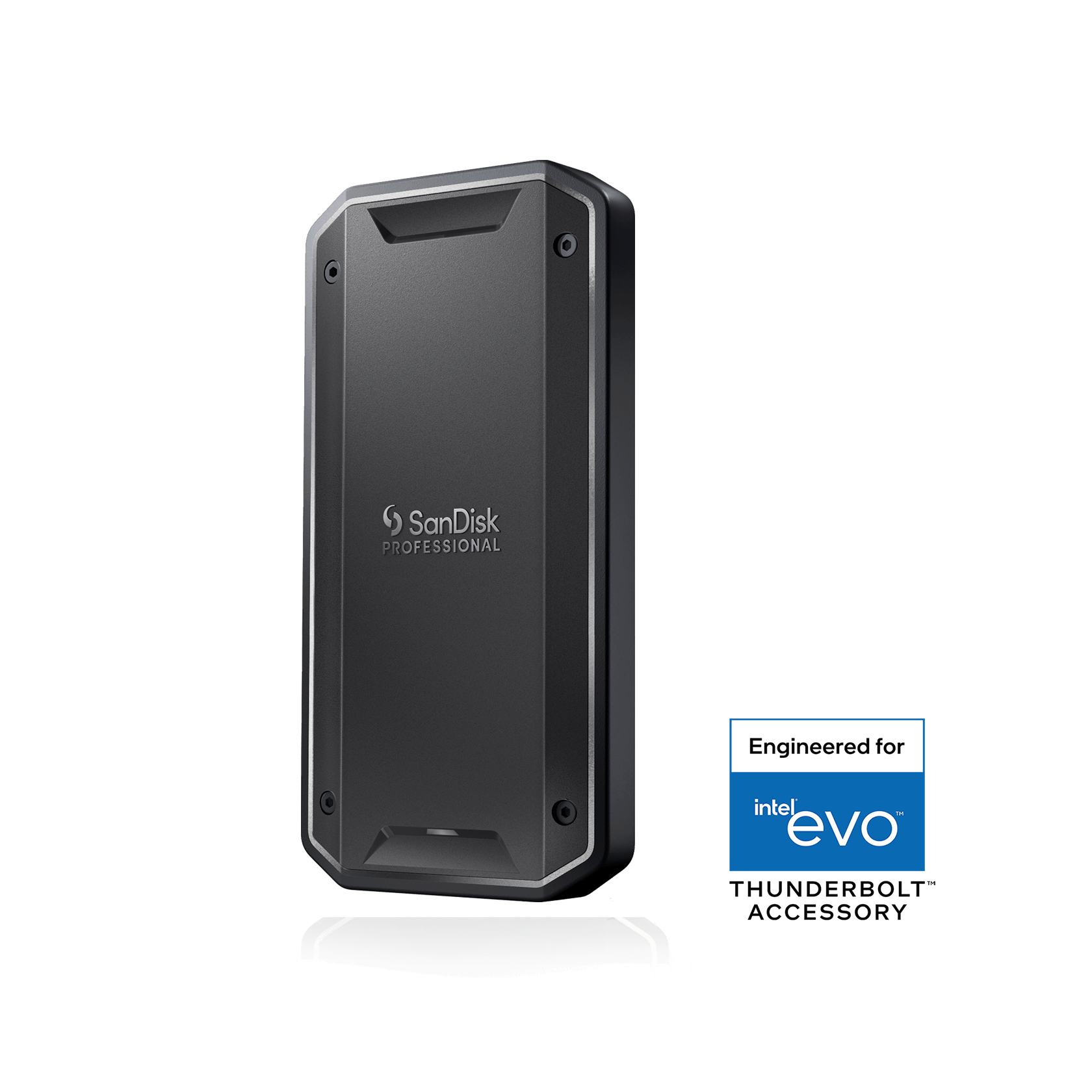
SanDisk Professional PRO-G40 SSD 2TB (SDPS31H-002T-GBCND)
The SanDisk Professional PRO-G40 is the drive for a Thunderbolt laptop, including Macs.
View at WalmartOver Thunderbolt 3 (40Gbps) it is rated up to 3,000MB/s read and 2,500MB/s write, and the same connector works on a USB 3.2 Gen 2 (10Gbps) port at USB speeds. It is also the toughest drive here on paper: IP68 dust and water resistance, 4,000lb crush resistance and up to 3 m drop protection, with a Thunderbolt 3 cable and a 5-year limited warranty. Buy it if you edit video or move disk images off a Mac or a Thunderbolt laptop. Skip it for documents and spreadsheets, where its extra speed goes unused.
What we like
- Up to 3,000MB/s read over Thunderbolt 3
- IP68, 4,000lb crush and 3 m drop ratings
- Also works on USB 3.2 Gen 2 ports
Watch out for
- Its top speeds need a Thunderbolt port
- No built-in hardware encryption listed; no USB-A adapter
An external SSD is usually one copy in a backup plan, not the whole plan. Our complete guide to backing up your computer shows where a drive like these fits, with step-by-step File History and Time Machine setup.
The short version
- Best overall: Samsung T7 Shield (MU-PE2T0S/AM). USB 3.2 Gen 2, IP65, hardware encryption, both cables in the box.
- Best for big capacities and a long warranty: SanDisk Extreme Portable SSD (SDSSDE61-2T00-G25). Up to 8TB and five years of cover; update the firmware before first use.
- Fastest USB-C pick: Samsung T9 (MU-PG2T0B/AM). USB 3.2 Gen 2x2, up to 2,000MB/s read.
- Best for Thunderbolt laptops and Macs: SanDisk Professional PRO-G40 (SDPS31H-002T-GBCND). Up to 3,000MB/s over Thunderbolt 3, IP68.
How they compare
All figures are the makers' own "up to" ratings for the 2TB models.
Drive | Connection | Read / write (up to) | Water and dust | Drop rating | Hardware encryption | Warranty |
|---|---|---|---|---|---|---|
Samsung T7 Shield | USB 3.2 Gen 2 (10Gbps) | 1,050 / 1,000MB/s | IP65 | Up to 3 m (9.8 ft) | AES 256-bit | 3 years |
SanDisk Extreme | USB 3.2 Gen 2 (10Gbps) | 1,050 / 1,000MB/s | IP65 | Up to 3 m (9.8 ft) | 256-bit AES, password protection | 5 years |
Samsung T9 | USB 3.2 Gen 2x2 (20Gbps) | 2,000 / 1,950MB/s | Not rated | Up to 3 m (9.8 ft) | AES 256-bit | 5 years |
SanDisk PRO-G40 | Thunderbolt 3 (40Gbps) or USB 3.2 Gen 2 | 3,000 / 2,500MB/s (Thunderbolt) | IP68 | Up to 3 m (9.8 ft) | Not listed | 5 years |
Sizes and capacities. The T7 Shield measures 59 x 88 x 13mm and weighs 98g; it and the T9 (3.5 x 2.4 x 0.6 inches, 4.3oz) come in 1TB, 2TB and 4TB. The SanDisk Extreme measures 3.97 x 2.07 x 0.38 inches and comes in 500GB, 1TB, 2TB, 4TB and 8TB. The PRO-G40 measures 4.37 x 2.28 x 0.47 inches, weighs 122.3g at 2TB, and comes in 1TB, 2TB and 4TB.
The SanDisk Extreme's 2023 problem, and what to do about it
In May 2023, owners of SanDisk Extreme and Extreme Pro portable SSDs began reporting drives that suddenly lost their data or became unreadable. Most reports involved 4TB models, though some owners of 2TB drives reported the same. Western Digital, which owned SanDisk at the time, said it had found a firmware issue that could make the Extreme Portable SSD V2, the Extreme Pro Portable SSD V2 and the WD My Passport SSD "unexpectedly disconnect from a computer", and released a firmware update on May 31, 2023, with a serial-number lookup to check whether a drive is affected.
The drive we list is the same V2 line (SDSSDE61). If you buy one, check the serial number and run SanDisk's updater when it arrives, before you put files on it, and keep a second copy of anything important, as you should with any single drive. If you would rather not deal with that, the T7 Shield has no comparable history and costs you nothing in speed.
How to choose an external SSD for your laptop
An external SSD (solid-state drive) is flash storage in a small case that plugs into a USB-C or Thunderbolt port. Three things decide which one suits you: the port on your laptop, how often it travels, and how much space you need.
Start with your laptop's port
A drive can only go as fast as the port it is plugged into, so check your laptop's spec page before paying for speed.
- USB 3.2 Gen 2 (10Gbps) is the common USB-C speed on current laptops. The T7 Shield and SanDisk Extreme are built for it, at about 1,000MB/s.
- USB 3.2 Gen 2x2 (20Gbps) is what the T9 needs for its full 2,000MB/s. Many laptops don't have a Gen 2x2 port, and on a 10Gbps port the T9 runs at 10Gbps.
- Thunderbolt (40Gbps) ports are common on business laptops and on Macs. The PRO-G40 is rated up to 3,000MB/s read over Thunderbolt 3 and also works on USB 3.2 Gen 2 ports.
If you're choosing a new laptop at the same time, our guide to laptops for working from home lists the ports on each pick.
Speed ratings are a ceiling, not a promise
Every figure here is a maximum from the maker's own testing. Samsung notes that performance "may vary depending on system environment", and your results depend on the port, the cable and the kind of files you copy. For document folders and spreadsheets, any drive here is fast. The T9 and PRO-G40 earn their keep with very large files, such as video projects or disk images.
Ruggedness: what IP65 and IP68 mean
An IP (Ingress Protection) rating has two digits: the first is protection against dust, the second against water. IP65 means dust-tight and protected against water jets; IP68 adds protection for immersion under the maker's test conditions. The T7 Shield and SanDisk Extreme are IP65, the PRO-G40 is IP68, and the T9 has no IP rating. Drop ratings come from each maker's own tests, so read them as a sign of a sturdier case rather than a guarantee.
Check the cable in the box
A fast drive needs a cable that can carry its speed. Samsung puts a USB-C to C and a USB-C to A cable in the box with both the T7 Shield and the T9, so either works with an older laptop that only has USB-A ports. SanDisk includes a USB-C to C cable and a USB-C to A adapter with the Extreme, and a Thunderbolt 3 (40Gbps) cable with the PRO-G40, with no USB-A adapter. If you replace a cable later, buy one rated for the drive's connection speed, not a charging-only cable.
Encryption and passwords
If your work files include client or personal data, hardware encryption means the data on the drive is stored encrypted and unlocked with a password. The T7 Shield and T9 have AES 256-bit hardware encryption, and the SanDisk Extreme has password protection with 256-bit AES hardware encryption. SanDisk lists no built-in encryption for the PRO-G40, so use BitLocker or FileVault instead. Encryption reduces the risk if a drive is lost; it doesn't replace a second backup.
How much capacity do you need?
For documents, spreadsheets and presentations, 1TB is plenty for most people. Photos, video and full laptop backups fill a drive much faster: for a backup drive, buy at least twice your laptop's own storage. Every pick comes in 1TB, 2TB and 4TB, and the SanDisk Extreme goes up to 8TB.
Using an external SSD with a Mac
All four drives work with macOS: SanDisk lists macOS 11+ for the Extreme and macOS 10.13+ for the PRO-G40, and Samsung lists macOS for the T7 Shield and T9. If your Mac has Thunderbolt ports, the PRO-G40 is the one built to use them. Setting up a desk around a MacBook? See our monitors for MacBook Pro guide.
SSD, hard drive or NAS for backup?
Portable hard drives store data on spinning disks, which makes them slower and more sensitive to knocks than an SSD, but they are fine for a backup drive that never leaves your desk. Pick an SSD for a drive that travels in a laptop bag or holds files you open every day. If several computers need one shared place to back up to, a network drive is the next step: our best NAS for a home office guide compares three, and NAS vs external drive vs cloud explains which combination suits you. Whatever you use, keep a second copy somewhere else.
How we chose
We have not tested these drives. We started from external SSDs that major US retailers sell, then read each maker's product page and user manual for the interface, rated speeds, ruggedness ratings, encryption, warranty and what comes in the box. We looked for well-documented problems in owner reports and major outlets, and found one, the SanDisk Extreme's 2023 failures, which is why it is no longer our top pick. We left out drives whose spec sheets we couldn't read in full, and unbranded drives with no maker's spec page. We link to US retailers that sell the exact model; we don't compare their prices.
Questions people ask
What is the best external SSD for a laptop?
For most laptops, the Samsung T7 Shield. It runs at USB 3.2 Gen 2 speeds (up to 1,050MB/s read), is rated IP65, has hardware encryption and comes with both USB-C and USB-A cables.
Is the SanDisk Extreme Portable SSD safe to buy now?
Western Digital released a firmware update for the Extreme Portable SSD V2 line on May 31, 2023, after widely reported data loss, mostly on 4TB units. If you buy one, run SanDisk’s firmware updater before you store files on it, and keep a second copy of anything important.
Will a USB 3.2 Gen 2x2 SSD work on a normal USB-C port?
Yes, but only at the speed of that port. The Samsung T9 is rated up to 2,000MB/s on a USB 3.2 Gen 2x2 (20Gbps) port; on a 10Gbps port it runs at 10Gbps speeds.
Do external SSDs work with a Mac?
Yes. All four list macOS support, and the SanDisk PRO-G40 can use a Mac’s Thunderbolt ports for its top speed of up to 3,000MB/s read.
Is an external SSD better than a hard drive for backups?
For a drive you carry around, yes: it is faster and has no moving parts. For a backup drive that stays on your desk, a portable hard drive is fine. Either way, keep a second copy of important files somewhere else.
Sources we used
- Samsung Portable SSD T7 Shield 2TB (MU-PE2T0S/AM) specifications
- Samsung Portable SSD T7 Shield user manual (box contents)
- SanDisk Extreme Portable SSD (SDSSDE61-2T00-G25) specifications
- SanDisk notice: Extreme Portable SSD V2, Extreme Pro Portable SSD V2 and WD My Passport SSD firmware update (May 31, 2023)
- Engadget: Western Digital promises to release firmware update for failing SanDisk Extreme SSDs (May 20, 2023)
- Samsung Portable SSD T9 2TB (MU-PG2T0B/AM) specifications
- Samsung Portable SSD T9 2TB product page (box contents)
- SanDisk Professional PRO-G40 SSD (SDPS31H-002T-GBCND) specifications
Comments
No comments yet. Start the conversation.