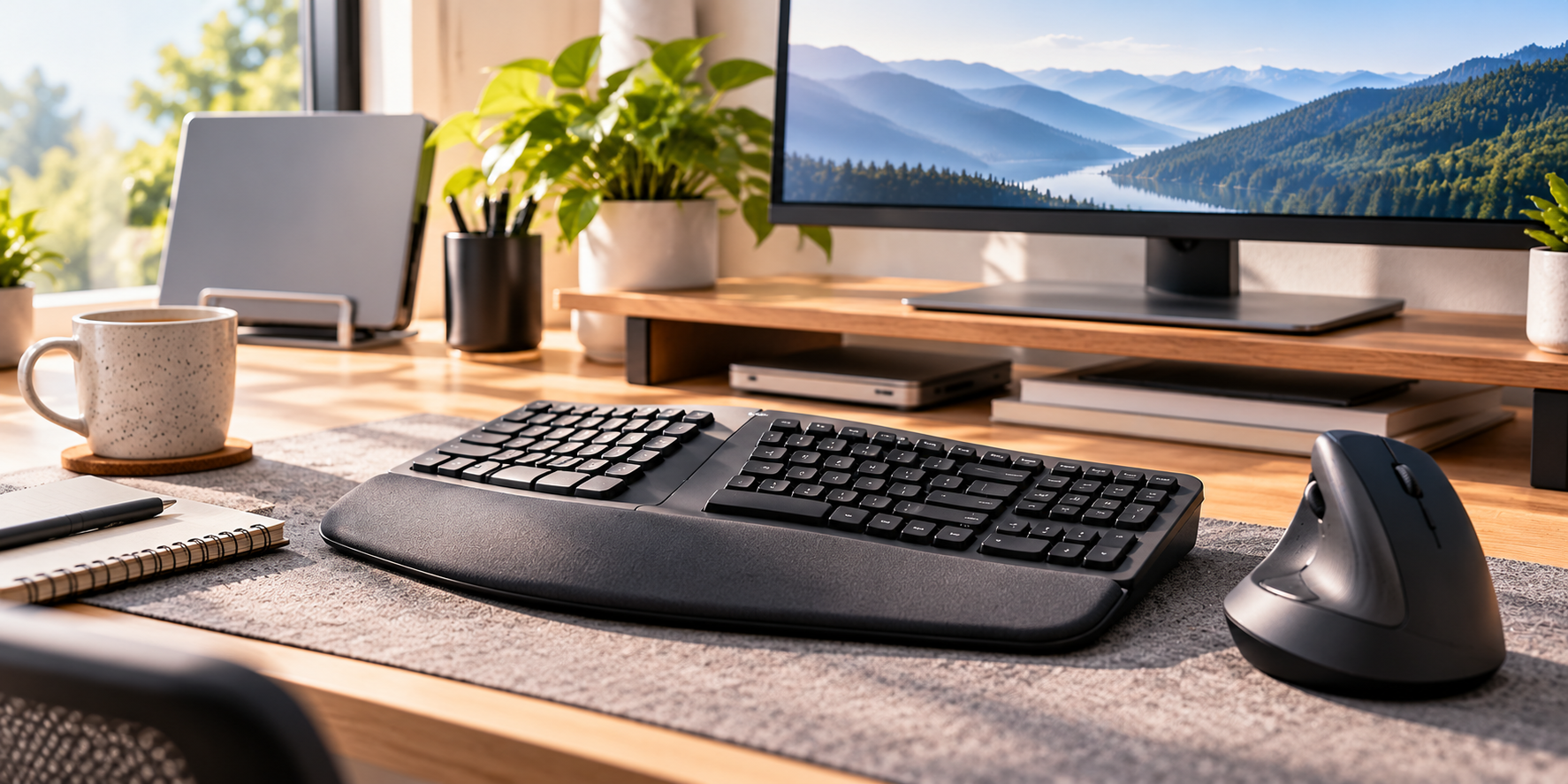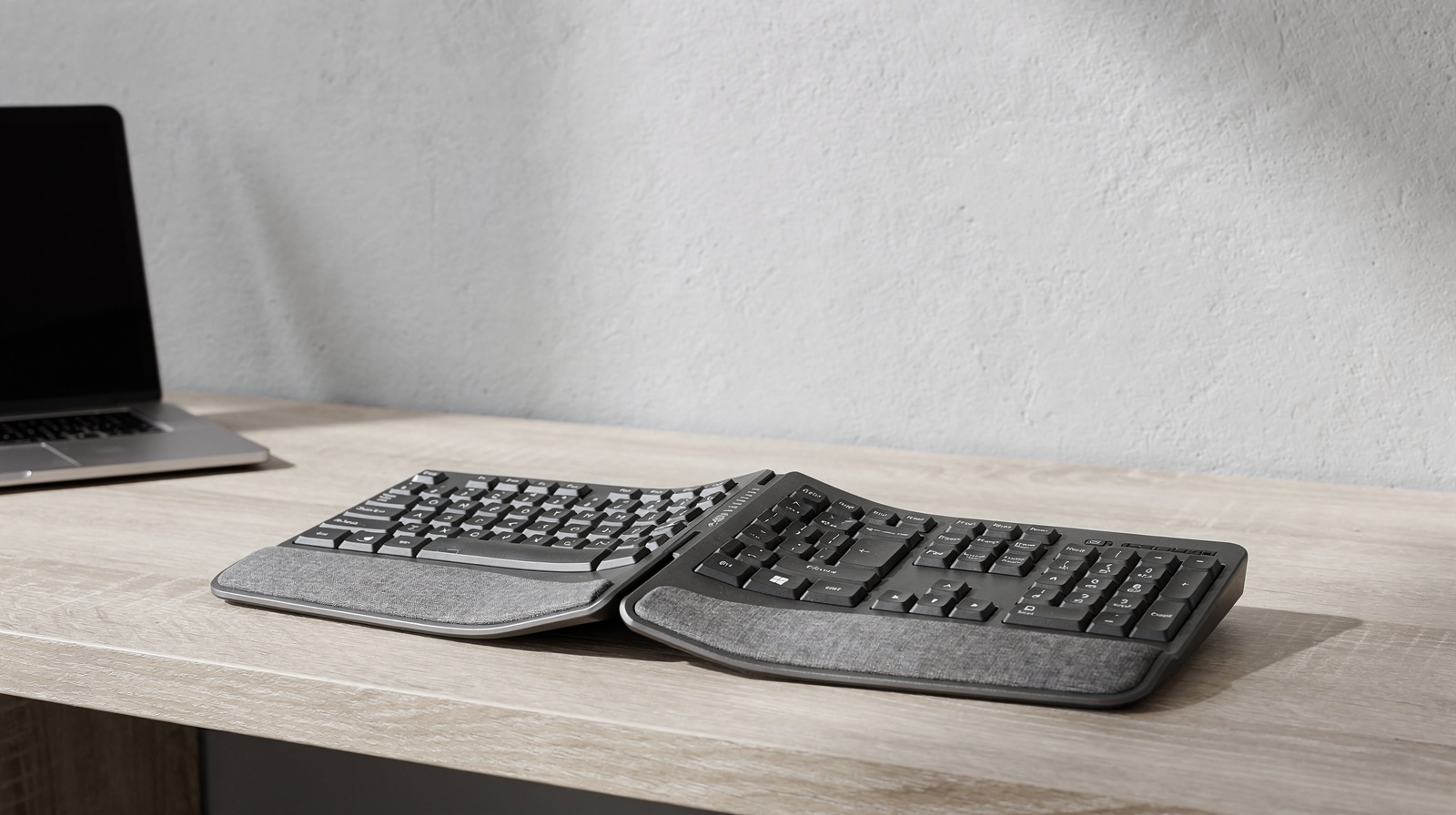
The best ergonomic keyboard for most people working from home is the Logitech ERGO K860. It keeps a full-size layout with a number pad, splits and curves the keys in one piece, has a wrist rest built in and offers negative tilt. If you want something smaller, the Logitech Wave Keys keeps the number pad in a compact wave shape.
Our picks at a glance
- View at Office Depot
- View at Staples
Best compact wave keyboard
Logitech Wave Keys Wireless Ergonomic Keyboard, Sand (920-013925)
- View at Kinesis
Best fully split keyboard
- View at Kinesis
Best mechanical ergonomic keyboard
Kinesis mWave Mechanical Keyboard for PC, Tactile (KB150P-TAC)
- View at Staples
Best rechargeable one-piece
Kensington Pro Fit Ergo KB675 EQ TKL Rechargeable Keyboard (K75491US)
The picks in detail
- Top pick
Best overall
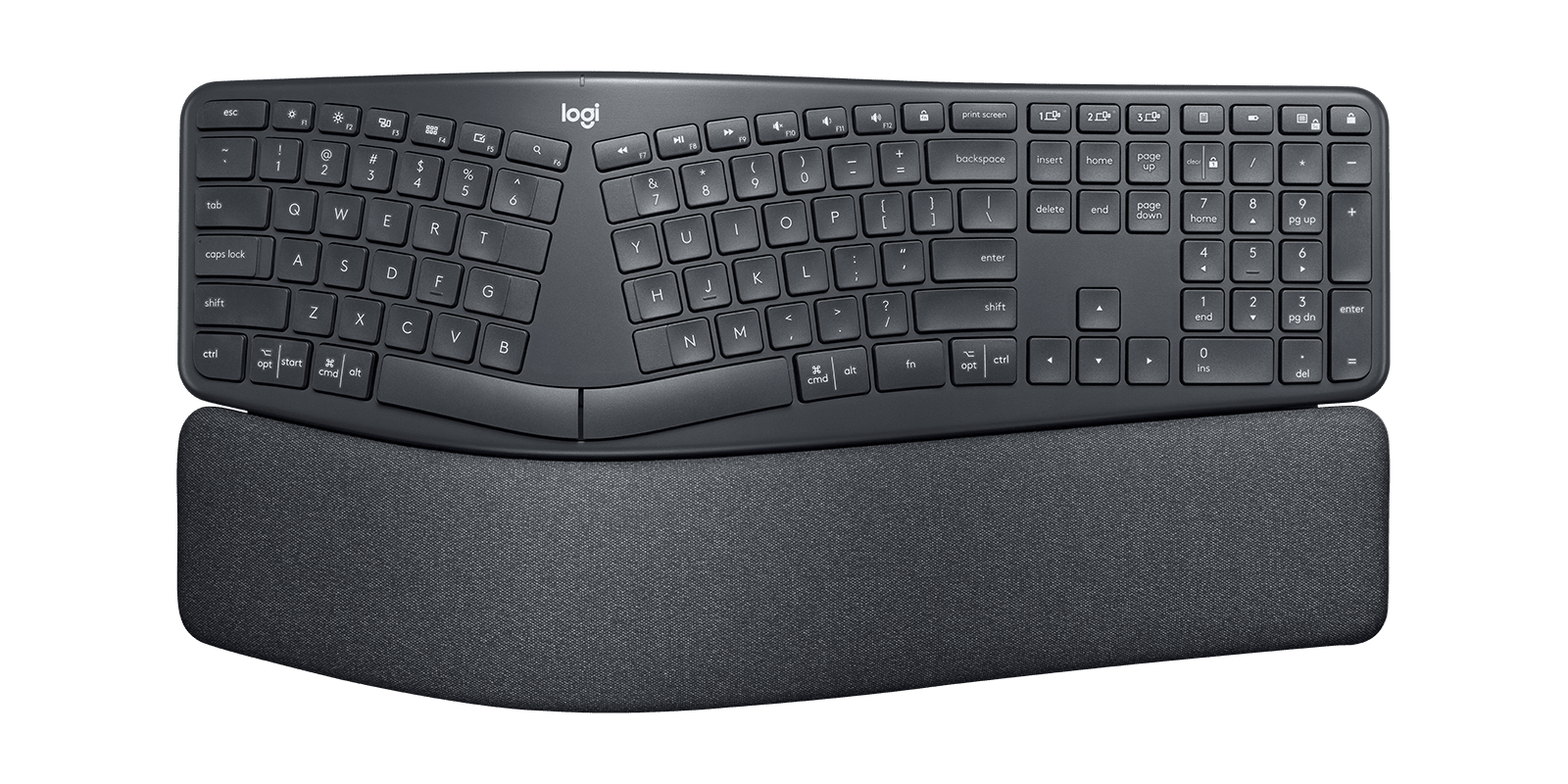
Logitech ERGO K860 Split Ergonomic Keyboard (920-009166)
If you have never used an ergonomic keyboard, start here.
View at Office DepotThe Logitech ERGO K860 keeps a normal full-size layout with a number pad, so the only thing to get used to is the split down the middle and the curved frame, and the pillowed wrist rest is built in. Legs under the front edge set it at 0°, -4° or -7° if you want to try negative tilt. It connects by Bluetooth Low Energy or Logitech’s Unifying USB receiver, switches between three devices and runs for up to 24 months on two AAA batteries. Most people should buy this one. Skip it if your desk is narrow (it is about 18 inches wide) or you want a wrist rest you can remove.
What we like
- Curved split layout with a full number pad
- The only pick with tilt legs for 0°, -4° and -7°
- Up to 24 months on 2 x AAA; pairs with 3 devices
Watch out for
- Wrist rest is fixed and can’t be removed
- Uses the older Unifying receiver, which doesn’t pair with Logi Bolt mice (Bluetooth works for both)
- No backlighting, and not spill-resistant
- Best compact wave keyboard
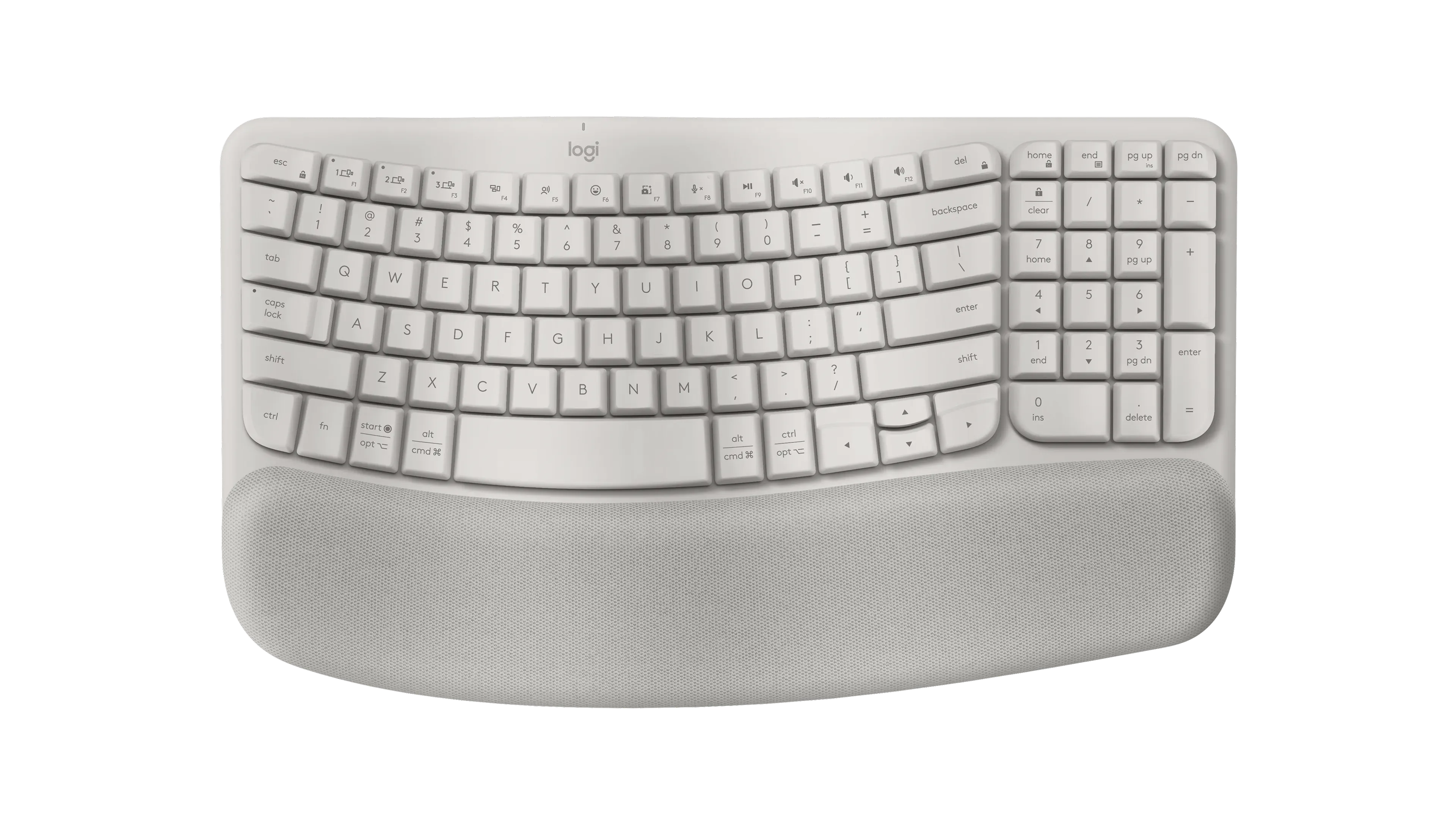
Logitech Wave Keys Wireless Ergonomic Keyboard, Sand (920-013925)
The Logitech Wave Keys is the smallest change from a flat keyboard.
View at StaplesThe rows rise and fall in a gentle wave instead of splitting, so it types much like a normal board, and it still fits a number pad into a body 14.8 inches long. The palm rest is three layers of memory foam and is permanently attached. Its legs tilt it the conventional way, +4°. It connects through the included Logi Bolt receiver or Bluetooth to three devices and runs for up to 36 months on two AAA batteries. Buy it if you want something familiar that takes less desk room than the K860. Skip it if negative tilt is the reason you are shopping.
What we like
- Compact wave layout that still has a number pad
- Up to 36 months on 2 x AAA, with a Logi Bolt receiver
- Dual-printed Windows and Mac keys
Watch out for
- Palm rest is permanently attached
- Only a +4° tilt; no negative-tilt option
- Best fully split keyboard
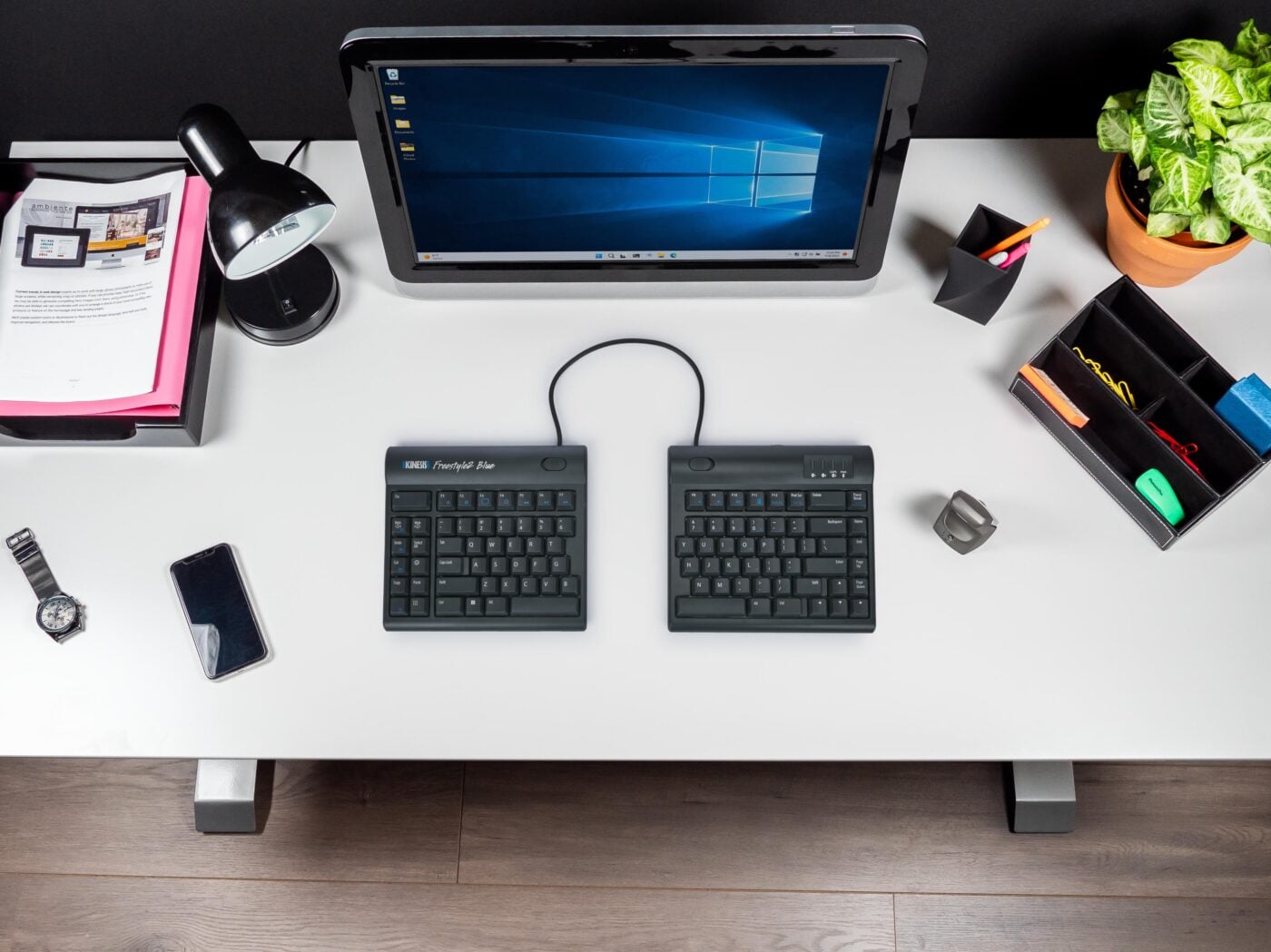
Kinesis Freestyle2 Blue for PC (KB800PB-BT)
The Kinesis Freestyle2 Blue comes in two separate halves joined by a flexible tether.
View at KinesisUnclip the tether and you can set them up to 9 inches apart, at whatever angle you like. It sits flat and low, 0.875 inches at its highest point, with membrane keys that need 45 grams of force. Bluetooth 5.1 pairs it with three devices, and the rechargeable battery is rated at more than 300 hours of typing. Palm supports and tenting (5°, 10° or 15°) are add-on kits. Buy it if you want to set the width yourself. Skip it if you want a keyboard that works out of the box with no fiddling, or if your computer has no Bluetooth.
What we like
- Two separate halves, up to 9 inches apart
- Rechargeable; over 300 hours of typing per charge
- Low, flat profile at 0.875 inches
Watch out for
- Palm supports and tenting are add-on kits, sold separately
- Bluetooth only, with no receiver in the box; hot keys don’t work on a Mac
- Best mechanical ergonomic keyboard
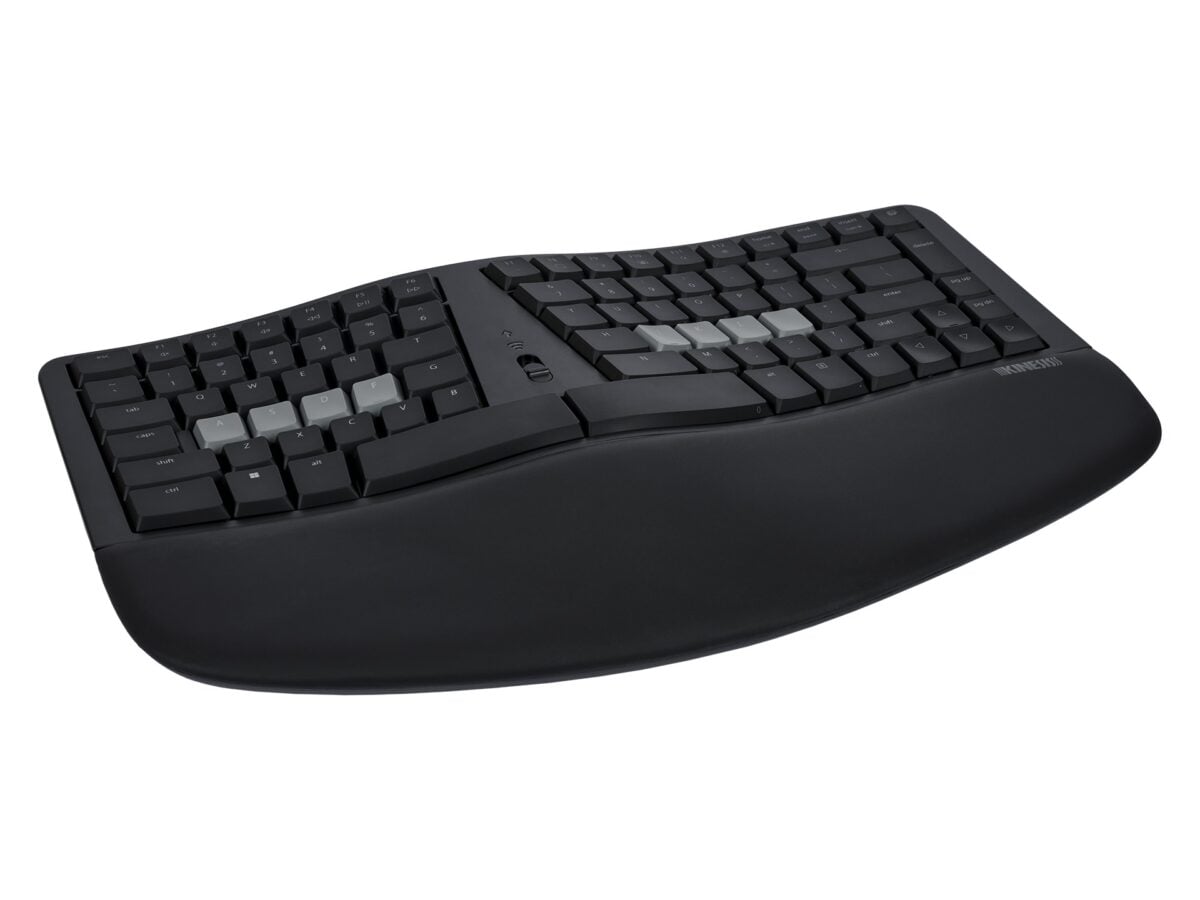
Kinesis mWave Mechanical Keyboard for PC, Tactile (KB150P-TAC)
The Kinesis mWave takes the wave shape and adds mechanical switches: this version uses tactile Gateron Low Profile Brown switches (55 grams, 3.0 mm travel).
View at KinesisIt has a fixed split, built-in tenting and a washable palm support, and three magnetic feet in the box give it a negative tilt. It works wired over USB or wirelessly over Bluetooth with two devices, runs on two AA batteries (included) and can be reprogrammed in Kinesis’s browser-based Clique editor. Its 85-key layout folds the keypad into the main keys instead of adding a number pad. Buy it if you want mechanical keys on an ergonomic shape. Skip it if you need a dedicated number pad or want backlighting while wireless.
What we like
- Low-profile tactile mechanical switches
- Built-in tenting plus magnetic negative-tilt feet
- Wired or Bluetooth, and programmable in a browser
Watch out for
- Backlighting works only when plugged in over USB
- Best Buy’s listing is sold by a marketplace seller
- Best rechargeable one-piece
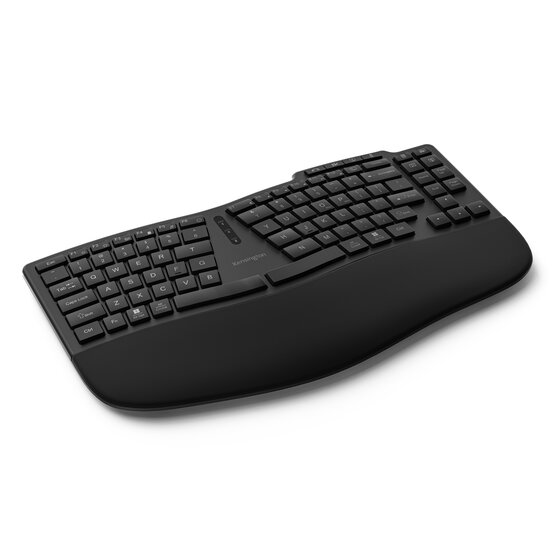
Kensington Pro Fit Ergo KB675 EQ TKL Rechargeable Keyboard (K75491US)
Kensington’s Pro Fit Ergo KB675 is a curved tenkeyless (TKL) keyboard with a built-in wrist pad, front legs and a 500mAh battery that charges over USB-C.
View at StaplesIt connects to two devices over Bluetooth 5.4 and a third through its 2.4GHz USB receiver, and adds dedicated video-conferencing keys. It is designed for small to average-sized hands. Buy it if you want no disposable batteries and a narrower board. Skip it if you have large hands, need a number pad or use a Windows laptop with an ARM processor.
What we like
- Rechargeable over USB-C; no disposable batteries
- Three connections: two Bluetooth 5.4 plus a USB receiver
- Video-conferencing keys and a 3-year limited warranty
Watch out for
- Sized for small to average hands, and no number pad
- Kensington Konnect software doesn’t support Windows on ARM yet
- Kensington’s own US store now lists K75491US as discontinued, so check the retailer still has stock
The other three picks cover more particular needs: the Kinesis Freestyle2 Blue pulls fully apart, the Kinesis mWave has mechanical switches, and the Kensington Pro Fit Ergo KB675 is rechargeable. For choosing a mouse to go with any of them, see our complete guide to ergonomic keyboards and mice.
The short version
- Best overall: Logitech ERGO K860. Curved split layout, full number pad, fixed wrist rest, 0°/-4°/-7° tilt legs.
- Best compact wave keyboard: Logitech Wave Keys. Wave-shaped, number pad included, memory-foam palm rest, up to 36 months on AAA batteries.
- Best fully split keyboard: Kinesis Freestyle2 Blue. Two halves up to 9 inches apart, Bluetooth, rechargeable.
- Best mechanical ergonomic keyboard: Kinesis mWave. Low-profile tactile switches, built-in tenting, wired or Bluetooth.
- Best rechargeable one-piece: Kensington Pro Fit Ergo KB675. Curved tenkeyless layout, USB-C charging, three connections.
How they compare
Keyboard | Design | Wrist rest | Tilt and tenting | Connection | Power |
|---|---|---|---|---|---|
Logitech ERGO K860 | Curved split, one piece, full size | Built in, fixed | Legs: 0°, -4°, -7° | Bluetooth LE or Unifying receiver, 3 devices | 2 x AAA, up to 24 months |
Logitech Wave Keys | Wave shape, compact with number pad | Built in, 3-layer memory foam | Legs: +4° | Bluetooth LE or Logi Bolt receiver, 3 devices | 2 x AAA, up to 36 months |
Kinesis Freestyle2 Blue | Two separate halves, up to 9 in apart | Optional add-on | Flat; 5°/10°/15° tenting with add-on kits | Bluetooth 5.1, 3 devices | Rechargeable, 300+ hours of typing |
Kinesis mWave | Fixed split wave, 85 keys, mechanical | Built in, washable | Built-in tenting; magnetic negative-tilt feet | USB cable or Bluetooth, 2 devices | 2 x AA (included), about 18 months |
Kensington KB675 | Curved, tenkeyless (TKL) | Built in | Front legs | Bluetooth 5.4 (x2) + 2.4GHz receiver, 3 devices | 500mAh rechargeable, USB-C |
The main ergonomic keyboard designs
Curved and wave one-piece keyboards
The K860, Wave Keys, mWave and KB675 keep the keys in one body but angle or curve the rows so each hand sits a little apart from the other. The difference is how far they go. The K860 has a clear split down the middle and a curved frame, while the Wave Keys only lets the rows rise and fall. That makes the Wave Keys the easier switch from a laptop or a flat office keyboard.
Fully split keyboards
A fully split keyboard, like the Freestyle2 Blue, is two separate halves. You choose how far apart they sit and at what angle, from almost touching to 9 inches apart. The trade-off is setup: expect to move the halves around for a few days before you settle on a spacing.
Mechanical ergonomic keyboards
The Freestyle2 Blue and both Logitech boards use membrane keys. A mechanical keyboard such as the mWave has an individual switch under each key. Kinesis sells it with tactile brown switches (a small bump you feel as the key registers, 55 grams) or quiet red linear switches (smooth, 45 grams); the red version has its own part number, KB150P-LIN.
What to compare before you buy
Tilt and tenting
Most keyboards are higher at the back than at the front. Two other options appear in this guide:
- Negative tilt raises the front edge instead. The K860's legs give 0°, -4° or -7°, and the mWave comes with magnetic feet that do the same. Kinesis recommends a keyboard tray with the mWave's negative-tilt feet.
- Tenting raises the middle so the two halves slope down to the sides, like a tent. The mWave has it built in; the Freestyle2 Blue adds it with optional kits at 5°, 10° or 15°.
The Wave Keys goes the conventional way, with +4° legs.
Wrist rests
The K860, Wave Keys, mWave and KB675 all have a rest built in. On both Logitech models it is permanently attached, so if you'd rather use your own, pick the Freestyle2 Blue, where palm supports are an optional extra. The mWave's palm support is washable.
Number pad or tenkeyless
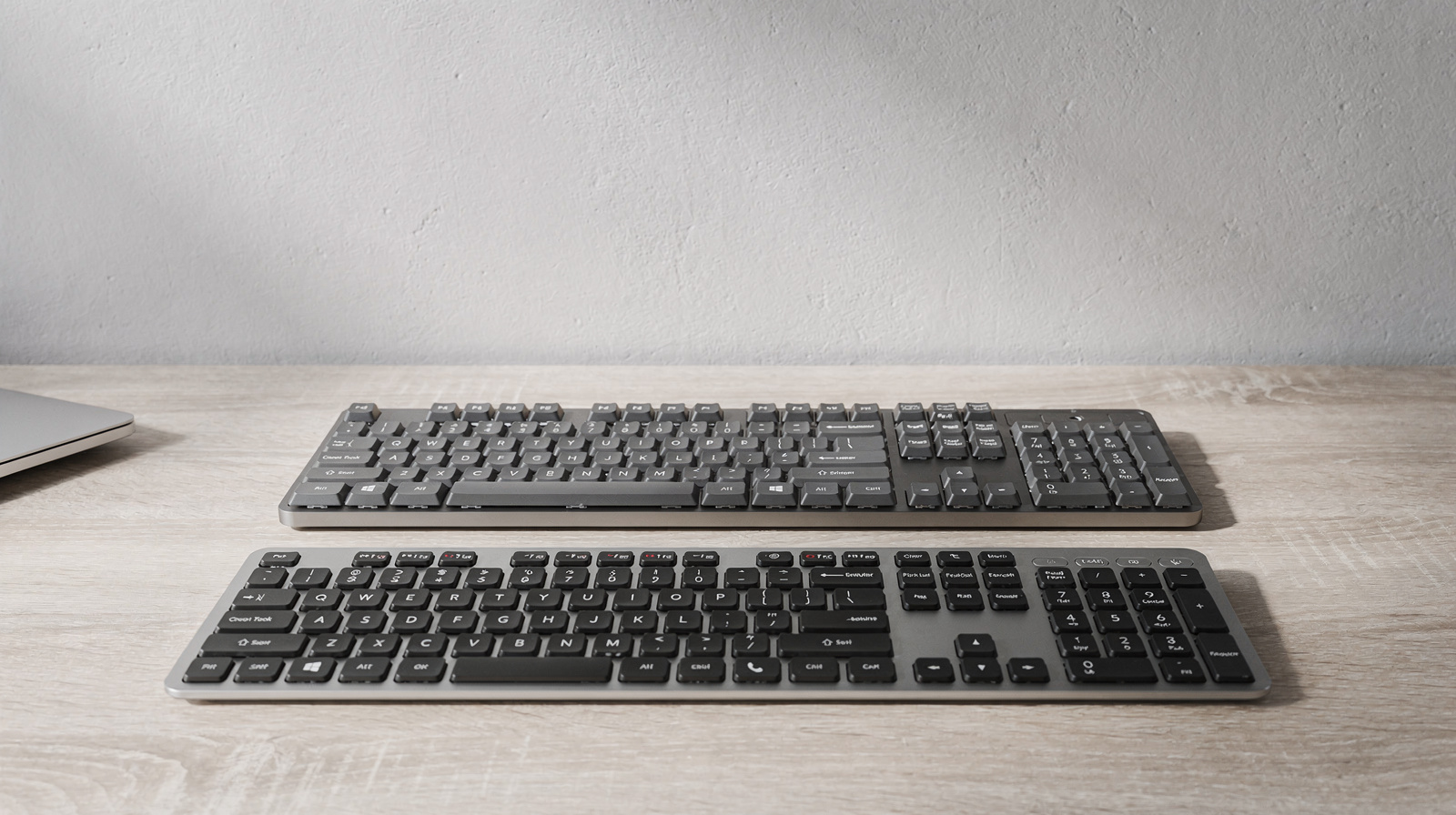
If you enter numbers all day, the K860 and Wave Keys both include a full number pad. The KB675 is tenkeyless, and the mWave uses an 85-key layout with an embedded keypad. Both are narrower as a result, so your mouse sits closer to the keys. The K860 is the widest pick at about 18 inches, against 15.25 inches for the mWave and 14.8 inches for the Wave Keys.
Connections and batteries
All five are wireless. The Logitech models and the KB675 come with a USB receiver as well as Bluetooth. The Freestyle2 Blue and mWave are Bluetooth only, with no dongle, so your computer needs Bluetooth. The mWave can also run over its USB cable, which is the only way to turn on its white backlighting.
On power, the K860 and Wave Keys run on AAA batteries for up to 24 and 36 months. The mWave uses two AA batteries, which Kinesis puts at about 18 months if you use it wirelessly for 6 to 8 hours a day and switch it off overnight. The Freestyle2 Blue and KB675 are rechargeable. All but the mWave switch between three devices; the mWave pairs with two.
Mac or Windows
The K860 and Wave Keys have dual-printed Windows and Mac keys. The Freestyle2 Blue for PC works with a Mac only in basic form (its hot keys don't work), and both Kinesis keyboards come in separate Mac versions. The KB675 lists Windows, macOS and ChromeOS. If you are choosing a new laptop to go with it, see our guide to laptops for working from home.
Which is the best ergonomic keyboard for you?
- You want the least change from a standard keyboard: the Logitech Wave Keys.
- You want a clear split, but in one piece: the Logitech ERGO K860, the only pick with negative-tilt legs built in.
- You want to set the width yourself: the Kinesis Freestyle2 Blue, with tenting as an add-on later.
- You want mechanical keys: the Kinesis mWave, with low-profile tactile or quiet linear switches and a wired option.
- You want no disposable batteries and a narrower board: the Kensington KB675, if your hands are small to average.
- You want a flat keyboard with a good typing feel instead: our MX Keys S vs MX Mechanical comparison covers Logitech's two best-known flat boards.
Setting up your desk around the keyboard
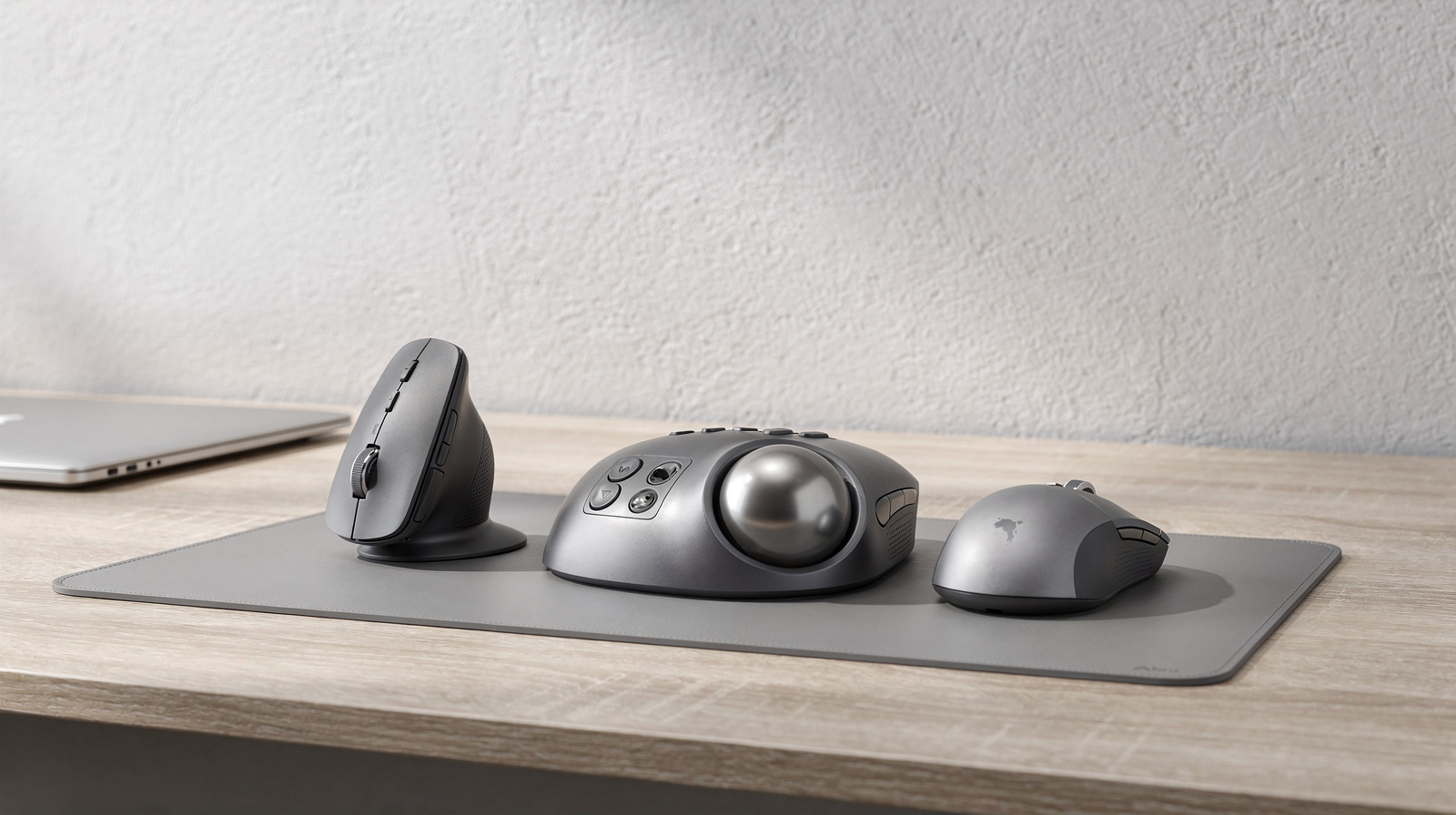
A separate keyboard lets you put a laptop on a stand or connect an external monitor. If you are adding a screen at the same time, our home-office monitor guide covers size and resolution. If you want a mouse that takes up less room beside a wide keyboard like the K860, our vertical mouse vs trackball comparison explains the options.
How we chose
We have not tested these keyboards. We started from ergonomic keyboards sold by major US retailers, left out gaming models and picked one for each common design: a curved one-piece, a wave, a fully split, a mechanical and a rechargeable tenkeyless board. Every figure comes from the makers' spec pages, linked under Sources. Some Best Buy listings are sold by marketplace sellers, which we note in the picks.
Questions people ask
Is a split keyboard better than a curved one-piece keyboard?
Neither suits everyone. A fully split keyboard like the Kinesis Freestyle2 Blue lets you choose the spacing and angle of each half, while a curved one-piece like the Logitech ERGO K860 is closer to a normal keyboard and needs no setup.
What is negative tilt on a keyboard?
Negative tilt means the front edge of the keyboard sits higher than the back, the reverse of most keyboards. The Logitech ERGO K860 has legs for 0°, -4° and -7°, and the Kinesis mWave includes magnetic feet for a negative tilt.
Are there mechanical ergonomic keyboards?
Yes. The Kinesis mWave uses low-profile Gateron mechanical switches, sold in a tactile brown or a quiet linear red version. It also has built-in tenting and a palm support.
Do these ergonomic keyboards work with a Mac?
The Logitech ERGO K860 and Wave Keys have dual-printed Windows and Mac keys, and the Kensington KB675 lists macOS support. The Kinesis Freestyle2 Blue and mWave for PC use Windows layouts, and Kinesis sells separate Mac versions of both.
Do I need a USB receiver for a wireless ergonomic keyboard?
Not always. The Logitech models and the Kensington KB675 include a USB receiver and also work over Bluetooth. The Kinesis Freestyle2 Blue and mWave connect by Bluetooth only, so your computer needs Bluetooth (the mWave can also use its USB cable).
Sources we used
- Logitech ERGO K860 product page and specifications
- Logitech Wave Keys product page and specifications
- Kinesis Freestyle2 Blue for PC specifications
- Kinesis mWave features, specifications and battery FAQ
- Kinesis mWave for PC store page (switch options)
- Kensington Pro Fit Ergo KB675 EQ TKL Rechargeable Keyboard (K75491US) product page
Comments
No comments yet. Start the conversation.